Header Hunter
A routine briefing renders no sensitive text, but the response includes more than its body. Inspect the complete HTTP exchange.
Objective
- Locate information carried in an HTTP response header.
- Treat headers and bodies as one security-relevant response.
Before you begin
Open /challenge/medium/headers and review complete responses.
Concepts
Status, headers, and body all cross the client boundary. Custom headers can leak data even when templates and screenshots appear clean.
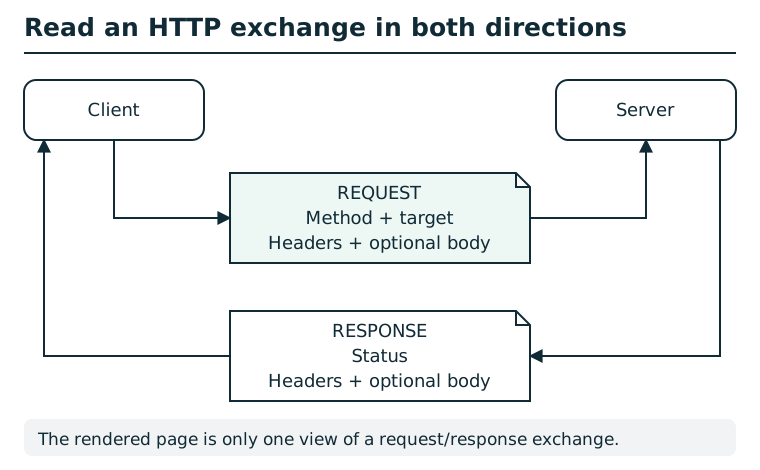
A request includes a method and target, headers, and sometimes a body. The response includes a status, headers, and sometimes a body. Inspect both directions: a browser's rendered page usually shows only the response body. Methods, cookies, authorization, and application state can affect the result; a status code alone is not a complete explanation. The diagram shows a generic exchange, not a station request.
Suggested tools
- Network inspector or
curl -i: Shows response headers alongside content.
Tool practice
Rehearse the worked tool exercise before using challenge data.
Reproduce the response-reading exercise, then request the briefing with curl -i or select its exact Network row. Read Response Headers, not Request Headers or the rendered Preview. The blank line in cURL separates headers from body.
Investigation
Observe
Request the linked briefing and inventory its status, response headers, and body.
Form a hypothesis
Does a custom header contain data absent from the rendered page?
Test carefully
Inspect one normal request; do not guess header names or send repeated probes.
Progressive hints
Hint 1
Record the request in the browser Network panel.
Hint 2
Inspect Response Headers, not request headers.
Hint 3
Look for a custom name beginning with X-.
Troubleshooting and reset
Reload after opening the Network panel, or use curl -i against the briefing. No state reset is required.