Portrait of Static
The filing jacket is missing from an image export. Inspect information carried inside the PNG to determine whether the exhibit retained its own provenance.
Objective
By completing this module, you will be able to:
- extract textual metadata stored separately from PNG pixels; and
- explain how retained provenance and intended-use fields affect an evidence review.
Before you begin
Open Portrait of Static and download the portrait. Review Image metadata. The pane also provides an offline notes tool for environments without a general metadata utility.
Concepts
A PNG is a sequence of typed chunks. Pixel chunks describe the image, while text chunks can carry titles, identifiers, authorship, processing notes, or other context. Cropping, resizing, or visually corrupting the pixels does not guarantee that textual chunks are removed. Metadata can support provenance, but it can also disclose sensitive or undisclosed uses.
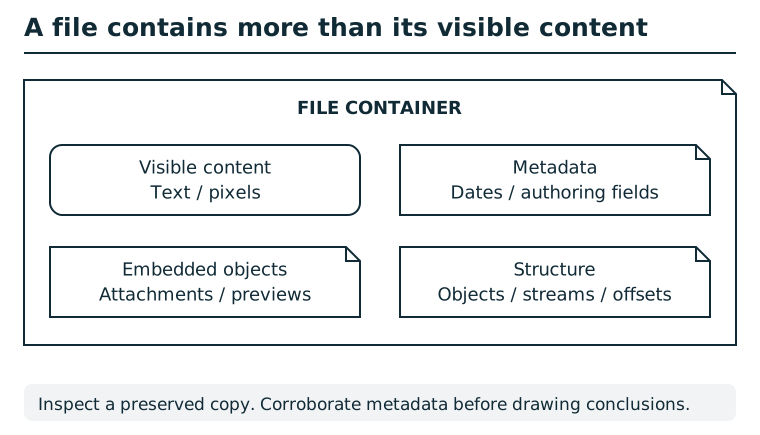
A file container can hold visible text or pixels, metadata, embedded objects, and structural information. A rendered view exposes only part of that content. Compare appropriate views of a preserved copy and record where each observation came from. Metadata may be stale or edited; corroborate it before attributing an action or identity.
Suggested tools
- PNG metadata viewer: A general metadata utility can enumerate text fields without interpreting the portrait.
- Linked offline notes tool: Run it locally against the downloaded PNG. It reads text chunks and does not send the file anywhere.
Tool practice
Rehearse the worked tool exercise before using challenge data.
Save the PNG and the linked notes script in the same folder and run the documented command. Expect key=value lines, not a repaired image. Keep each key paired with its value when choosing what belongs in the locker lookup and what belongs in the ledger.
Investigation
Observe
Inventory the text-field names and values separately from what the pixels show. Identify which field could reconnect the unfiled exhibit with an evidence locker and which field describes a use beyond simple storage.
Form a hypothesis
Can the locker identifier restore provenance even though the visible image is damaged? What does the intended-use field establish directly, and what would still require independent confirmation?
Test carefully
Use the exact recovered locker identifier in the pane's lookup form. Compare the returned record with the metadata, then submit the requested observations to the case ledger. Do not infer an identifier from the example format.
Progressive hints
This pane has no in-app nudge. The workbook offers the following additional guidance when needed.
Hint 1
Use the linked script or a metadata-aware tool to list PNG textual fields.
Hint 2
One field names an evidence locker; another records an intended secondary use. Submit their values separately where requested.
Troubleshooting and reset
If the portrait opens but your file properties show no custom fields, use a PNG-aware metadata tool or the supplied offline notes tool. Keep the image and tool in the same local folder or pass the image's full path. If the locker lookup fails, preserve capitalization and punctuation from the metadata.
Witness seal filing and recovery
Record this pane's critical finding in the active session before filing its witness seal. Supporting findings are optional. An unearned seal is rejected without consuming a failed-flag attempt. To recover an earned seal, revisit this pane or repeat the accepted finding in the same session; neither adds progress twice. All six critical findings and their six filed seals unlock release, seal, and return. Supporting findings strengthen the ending and remain available after it.